
Scaling a trading biz in India? The Exness demo account is your secret weapon. It’s not just for solo traders kicking the tires—it’s gold for brokerages, trading schools, and prop firms trying to get folks trading without burning real cash. No stress, no risk, just smooth onboarding.
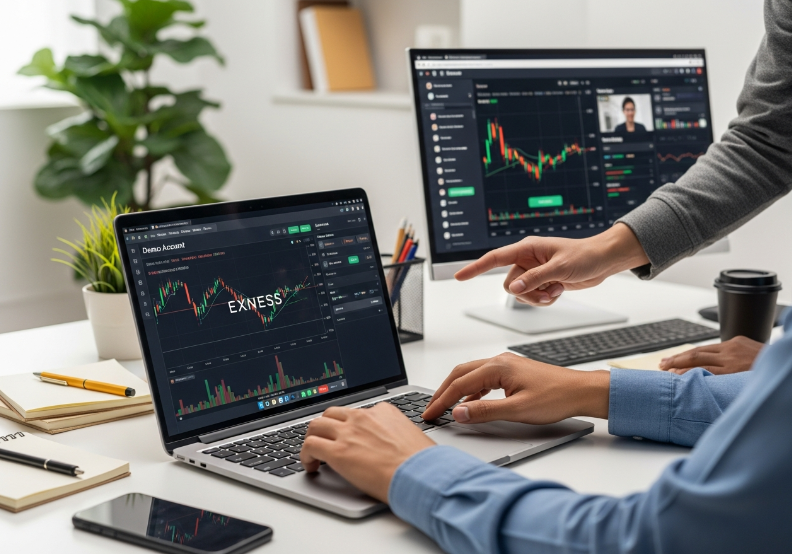
Picture this: you’ve got fresh recruits eager to learn but scared of losing money. A demo setup gives them room to screw up, learn, and build muscle memory—without wrecking their confidence or wallets.
“It’s our go-to for testing client readiness at scale,” says Ankit Sharma, senior engineer at Fxbee. “We set up hundreds of demos a week for training and strategy testing.”
The process? Fast, clean, and business-ready. We’ll break it into 3 steps, compare demo vs. live, and hit the tech specs—so you know what you’re working with.
If you’re working with teams or clients, this setup can seriously cut down your onboarding chaos. Let’s make it simple.
3 Simple Steps to Open an Exness Demo Account
Step 1: Select Account Type, Server Selection, and Base Currency
Want simplicity? Choose the Standard account — it's built for beginners.
Need tighter spreads and power? Go with the Pro account — ideal for broker partners.
Hook your setup to the right trading server (low latency is gold here).
Choose USD or INR as your base currency depending on your team's financial preferences.
Final step? Zip through registration on MT5. Fast and painless.
???? Pro tip: If you're setting up multiple terminals, stick to the same account type across your team to keep things consistent.
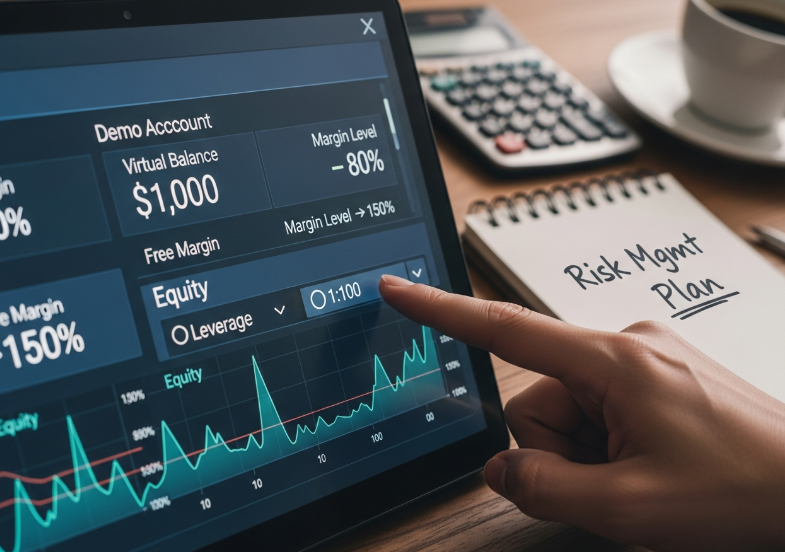
Step 2: Set Virtual Balance, Leverage Ratio, Equity, and Margin Level
Start by loading your demo with virtual funds—$10,000 or ₹1,00,000 is a good mock-up.
Pick a leverage ratio that mirrors your live accounts—1:100 is a popular start.
Watch your free margin and account balance closely to avoid margin calls.
Keep risk tight. Align your trading capital with a basic risk management plan.
Train teams to monitor equity fluctuations during volatile runs.
| Metric | Suggested Value | Risk Rating | Notes |
|---|---|---|---|
| Virtual Balance | $10,000 | Low | Great for simulation |
| Leverage Ratio | 1:100 | Medium | Mirrors typical retail |
| Free Margin | 80%+ | Safe | Avoids early stop-out |
| Margin Level | >150% | Stable | Key to avoiding margin call |
Step 3: Enable Market Execution, Pending Orders, Stop Loss, and Take Profit
In your trading terminal, enable instant execution and all pending order types — especially buy limit, sell stop, and take profit.
Set realistic price levels based on your simulated market watch data. Every trade should reflect a clear risk-reward ratio — that’s the cornerstone of clean execution.
???? Don't forget: set your stop loss tight enough to protect, but loose enough to avoid annoying trigger hits during consolidation zones.
???? Traders in training should practice order management scenarios — this builds judgment for live conditions later.
Preloading Major Currency Pairs, Spot Gold, and Stock Indices for Teams
Want to save hours across your whole training desk? Preload the symbol list in each demo terminal with key trading instruments:
EURUSD (Major Forex Pair)
XAUUSD (Spot Gold)
S&P 500 (Stock Index)
These represent diverse market watch conditions: high liquidity, commodity moves, and index tracking. Great for testing strategies.
????️ “We always preload EURUSD, Gold, and US30 for our prop firm trainees — it’s the fastest way to build confidence.”
– Rahul Mehta, Lead Account Strategist @ Fxbee
????️ Need to set up 20+ terminals? Clone the symbol list using MT5 templates—easy drag-and-drop config for bulk workstations.
Exness Demo vs. Real Account: Key Differences
Virtual Balance and Initial Deposit
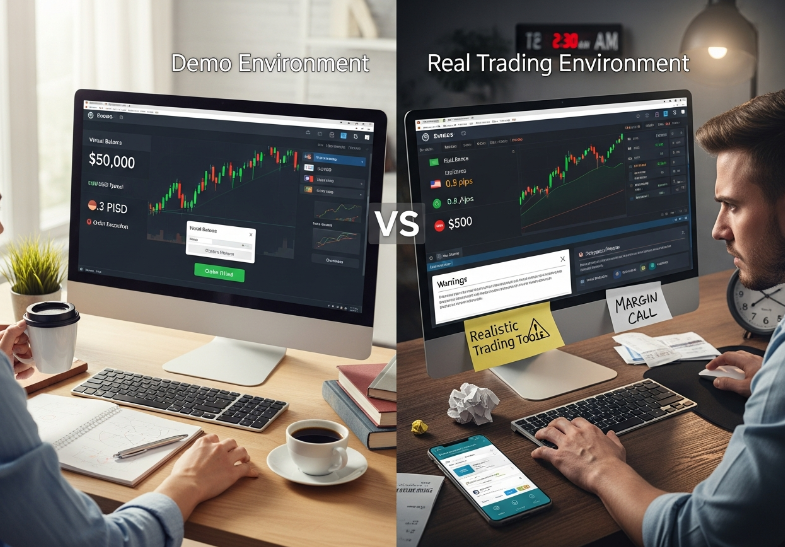
Demo trading feels like Monopoly money, but there’s more going on behind the scenes. Here’s what sets demo cash apart from real capital.
Demo accounts start with virtual funds, often preloaded with $10,000–$100,000 in demo capital.
Initial balance in real accounts must be deposited via real payment methods—UPI, net banking, etc.
Demo accounts offer unlimited top-up options for endless paper trading. Real ones? Not so much.
Real accounts show real account equity, tied to market risk, margin level, and leverage settings.
Demos are great for learning. But the emotional discipline? That only kicks in when real money’s on the line.
Spread, Slippage, and Liquidity
Let’s crack open what really changes when trades go from demo to live: the feel of the market.
Bid-ask spread in demos is usually fixed or tightly controlled. Real markets? They breathe—especially during volatility.
Live accounts face slippage when execution speed can't match rapid price changes. Demo trades? Often instant.
Real-world liquidity depends on who’s buying or selling. A demo gives you perfect fills. A real account? Not always.
No requotes in demo. But real trading can hit you with a “Price has changed. Want to proceed?”
Spread and Slippage Comparison
| Account Type | Avg. Spread (EUR/USD) | Slippage Risk | Liquidity Source |
|---|---|---|---|
| Demo | 0.3 pips (fixed) | None | Simulated |
| Real (Standard) | 0.8 pips (floating) | Medium | Real LPs |
| Real (Raw Spread) | 0.1 pips (floating) | Low | Deep Pool |
Risk Management and Position Sizing
Trading with fake money feels chill. But once the market’s real, things change fast—especially around risk control.
Set your stop loss and take profit? That’s easy in a demo. But will you hold when real pip value hurts your wallet?
In real accounts, margin calls and leverage misuse can wipe out equity.
Lot size in demo means nothing emotionally. In real trading, it decides your sleepless nights.
The ideal risk-reward ratio? Still a must—but many forget it once fear or greed creeps in.
Remember: “A good trader doesn't avoid risk—they respect it.” — Anonymous Exness Trainer
Order Types and Market Execution
Order types don’t just sound fancy—they act differently in demos and real trading, too.
Market orders on demo platforms are executed instantly with zero slippage.
In live accounts, instant execution often turns into requotes or gets delayed during high volatility.
Limit orders and pending orders might behave reliably in demos—but in real markets, they can miss entries due to price gap jumps.
Orders like buy stop or sell limit are easier to test in demos for backtesting strategies—but don’t expect the same outcome in live volatility.
You can practice strategy in a demo—but only real execution teaches you timing under pressure.
System Requirements for Exness Demo Account Setup
Workstation Specs for Multi-Chart Moving Average and MACD Training
For clean multi-chart action with MetaTrader 5 and advanced technical indicators like MACD and Moving Averages, your setup matters. Here’s the recommended hardware table for smooth training and simulations:
| Component | Minimum Spec | Recommended | Ideal for Teams |
|---|---|---|---|
| CPU | i5 10th Gen | i7 or Ryzen 7 | High-frequency charts |
| RAM | 8 GB | 16 GB | Smooth indicator response |
| Graphics Card | Integrated OK | Dedicated 4GB+ | Multi-monitor setups |
| Display Setup | Single Monitor | Dual 1080p | Multi-monitor layouts |
Bonus: Go multi-monitor to speed up team learning.
Tip: Avoid bottlenecks by checking your processor frequency and RAM under load.
Network Quality for Volatility Spikes in Crude Oil and Metals
???? Latency is your enemy when trading Crude Oil or Metals during market chaos.
???? For best execution, your ping should be under 50ms.
???? Bandwidth above 100 Mbps is great, but stability matters more than raw speed.
???? A solid fiber optic line beats Wi-Fi any day.
“When gold spikes, we’ve seen 3-second ISP lags destroy demo trading precision. Always stress-test your line.” – Rakesh Menon, Network Ops @ Fxbee
???? Slippage during commodities spikes is brutal—don’t let your ISP be the bottleneck.
Server Selection, Data Feeds, and Economic Calendar Integration
✔ Choose a VPS with low data latency to your preferred MT4 server region.
✔ Sync your real-time data feed with your economic calendar—especially during news events.
✔ Use Exness’s API access for custom feeds and team-wide synchronization.
✔ For fundamental analysis exercises, push economic alerts directly to the terminal.
Tip: Training with outdated feeds causes poor habits. Server speed + data integrity = clean simulation.
Scaling Terminals for Paper Trading Across Desks and Branches
Deploy Multi-terminal setups across your Local Area Network to simulate team environments.
Use Cloud hosting or remote desktops to centralize access and reduce onboarding time.
Ensure your architecture supports seamless account management for trainers and supervisors.
Enable virtualization to scale quickly across departments, even in remote locations.
Match the paper trading setup to your trading floor blueprint to mimic real workflows.
Scalability isn't a bonus—it’s the baseline for firms serious about mass demo onboarding.
Can't Practice Trading? Exness Demo is the Fix
Why Most People Freeze Before Real Forex Trading
Real money makes mistakes expensive—and that fear paralyzes beginners.
Many platforms don’t offer a smooth transition from zero experience to confident trading.
Lack of risk-free space to mess up? That’s what breaks most new traders.
Here’s Why the Exness Demo Account Changes the Game
1. Virtual Funds Let You Mess Up Without Guilt
You get loaded with virtual money, not real cash. Trade wildly, test wild Forex strategies, blow up your balance—nobody’s losing sleep. It’s your playground.
2. Real Tools. Real Feels. No Real Risk.
Exness hooks you up with MetaTrader 5 and MT4—the same pro tools real traders use. You’ll feel like you’re trading live in the financial markets, minus the heart attack risk.
3. Test Leverage Without Breaking the Bank
Tweak leverage settings, test wild trades, learn margin calls in real time—but all with zero cash at stake. Want to try 1:1000 just to see what happens? Now you can.
4. Start from India, Trade Like You’re on Wall Street
The platform’s fully accessible in India, so you’re not stuck with limited features or boring training accounts. You get the real Exness trading platform, just with safety rails on.
Demo Account vs. “Paper Trading” Notebooks (and Why It Wins)
| Feature | Exness Demo Account | Traditional Paper Trading | Real Account Trial | YouTube-Only Learning |
|---|---|---|---|---|
| Uses Real Trading Platform | ✅ MetaTrader 5 & MT4 | ❌ | ✅ | ❌ |
| Involves Risk-Free Trading | ✅ 100% Virtual Funds | ✅ | ❌ | ✅ |
| Supports Live Forex Prices | ✅ Financial Markets Feed | ❌ | ✅ | ❌ |
| Enables Leverage Simulation | ✅ Adjustable Leverage | ❌ | ✅ | ❌ |
Real Talk from the Team at Fxbee
“Demo accounts are how we get our new hires warmed up. No pressure. Just play around, break stuff, learn fast.”
— Nikki Rajan, Fxbee India Training Manager
“When we test new strategy bots, we run ‘em on demo first. It’s our sandbox. No demo, no launch.”
— Carlos Nunez, Lead Engineer, Fxbee R&D
“Most of our affiliate partners use Exness demos to onboard their clients faster. It’s the closest thing to a real trading experience without financial stress.”
— Meera Sinha, Global Partnerships Director, Fxbee
Still Think You Can’t Trade? Here’s the Fix:
Sign up in under 5 minutes.
Choose MT4 or MT5—whichever suits your vibe.
Load your demo account with virtual funds.
Jump in and start exploring forex trading with Exness.
No one becomes a trader by just watching videos. Real skills come from getting your hands dirty—without the fear of losing a rupee.
Exness demo accounts give you exactly that. So stop overthinking. Start practicing.
India-Based Traders: What You Need to Know in 2026
Indian Regulations, Fundamental Analysis, and Digital Currencies Policy
FEMA guidelines now impact demo usage for offshore trading practice.
Don’t ignore macro Economic Indicators in fundamental analysis—they’re essential for training relevance.
Policy chatter around CBDC is heating up. Get your teams familiar early.
“Ignoring RBI directives? That’s a surefire way to lose your edge,” warns Rahul Jain, Compliance Lead at Fxbee.

INR Base Currency, Initial Deposit Modes, and Local Liquidity
Indian Rupee base accounts make conversions smoother—no math gymnastics.
Use UPI, Net Banking, or IMPS for easy top-ups. No forex hassle.
Partnering with the right Liquidity Provider = tighter spreads and faster fills.
Watch out for transaction fees in third-party Payment Gateways.
Common Transaction Methods in India for Exness Demo Funding
| Method | Avg. Processing Time | Fees (₹) | Popularity Score |
|---|---|---|---|
| UPI | Instant | 0 | 9.5/10 |
| Net Banking | 2–4 hours | 10–25 | 8.3/10 |
| Payment Gateway | Instant | 15–30 | 8.8/10 |

Brokerage Training with Technical Analysis on Major and Minor Currency Pairs
Need to prep traders for real action? Here's your quick-hit guide:
RSI and Moving Averages are non-negotiables for spotting overbought zones.
Teach them to read Candlestick Patterns—they’re the market’s body language.
Use USD/INR and EUR/USD pairs for practical practice scenarios.
Platforms like MetaTrader 5 make demo training smooth, with real-chart simulation.
Drill in Support and Resistance logic—without it, your strategy’s got holes.
Perfect combo of theory and chart work = traders who don’t panic in the real markets.
Conclusion
Getting started with demo trading isn’t rocket science, and Exness has made sure of that. Once you’ve got your account type, balance settings, and trade tools in place, you’re already ahead of the game. For brokerages and trading firms, this setup is like a rehearsal dinner—no pressure, just practice—but it sets the tone for the real feast. The exness demo account lets your teams try out strategies, play with market scenarios, and get familiar with technical tools—minus the money stress.
Key setup reminders for business users:
Use INR as your base if you're serving Indian clients
Configure virtual balances and leverage to reflect training goals
Simulate order types to prep for real-time execution
Align terminals with your team’s tech stack
Now’s a smart time to test the waters. Don’t wait for your traders to learn on live accounts—train them right. Lock in the muscle memory, then roll out the big trades when the real deal comes knocking.
References
Exness – Demo trading account overview - https://www.exness.com/demo-trading-account/
Exness – EUR/USD trading conditions - https://www.exness.com/forex/eurusd/
Exness Help Center – Real and demo accounts - https://get.exness.help/hc/en-us/articles/360013191919-Real-and-demo-accounts
Exness – Deposits and withdrawals - https://www.exness.com/deposits-and-withdrawals/
Traders Union – Minimum deposit & payment methods on Exness in India - https://tradersunion.com/brokers/forex/view/exness/exness-minimum-deposit/in-india/
MetaQuotes – MetaTrader 5 installation & system requirements - https://www.metatrader5.com/en/terminal/help/start_advanced/installation
Reserve Bank of India – FAQs on forex transactions under FEMA - https://www.rbi.org.in/commonperson/english/scripts/FAQs.aspx?Id=3347
LiquidityFinder – Is Forex trading legal in India? RBI, SEBI, FEMA rules - https://liquidityfinder.com/insight/industry/the-forex-fx-trading-landscape-in-india