
When a platform’s forex profit calculator spits out a number that doesn’t match what a trader expects, the inbox lights up, chats blow up, and suddenly your team is playing detective instead of growing the business. One tiny mismatch in P/L turns into a trust issue, and trust in this game is worth its weight in gold.
A lot of brokers know this story by heart: a client closes EURUSD, screenshots everywhere, “Your numbers are wrong,” support on edge, ops trying to reverse-engineer the math from logs and spreadsheets. It’s not just a headache; it’s real money, churn, and brand damage.
“If profit math isn’t boring and predictable, nothing else matters,” says Fxbee’s Head of Trading Systems.
This article speaks to brokers, platforms, and white-label partners who want profit calculations to stay boring, predictable, and crystal clear for every account type, pair, fee, and style of trading.
Next up, we walk through the core profit formula piece by piece, so your team can spot gaps, fix them, and choose tools that actually match your brokerage in the real world.
Key Components of a Forex Profit Calculator Formula
Base Currency, Quote Currency, and Exchange Rate Structure
A currency pair like EUR/USD tells you: base currency first, counter currency second.
The exchange rate shows how many units of the quote you need for one base.
Bid price is what your brokerage buys at; ask price is what it sells at.
Major pairs and cross rates must be handled cleanly so your wholesale clients can trust every price coming out of your calculator.
Pips, Points, and Pip Value per Standard Lot
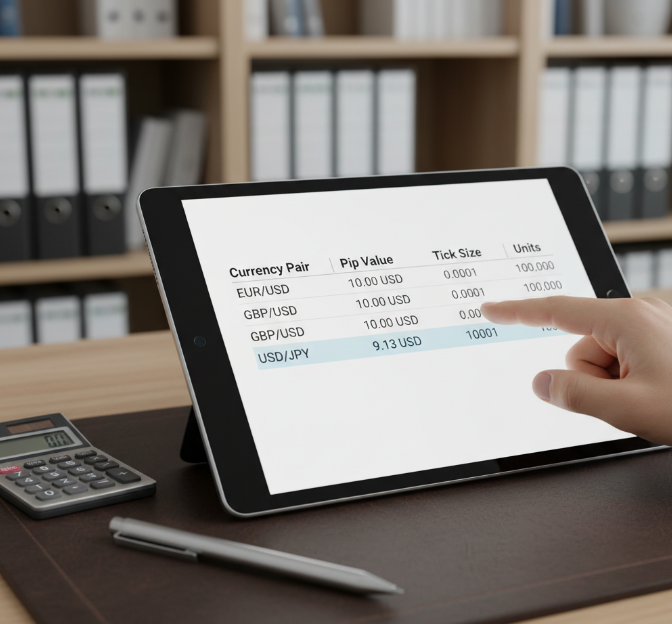
| Currency pair | Pip value (standard lot) | Tick size | Currency units |
|---|---|---|---|
| EUR/USD | 10.00 USD | 0.0001 | 100,000 |
| GBP/USD | 10.00 USD | 0.0001 | 100,000 |
| USD/JPY | 9.13 USD | 0.01 | 100,000 |
Those numbers help platforms quote exact pip value without guesswork.

Lot Size, Position Size, and Margin Requirement Linkage
Standard lot, mini lot, micro lot change exposure fast, so your tool has to sync lot size with position size automatically.
With higher leverage, required margin shrinks, but equity swings harder.
Show required margin, free margin, and total exposure in one view so institutional buyers can see how your calculator protects clients from ugly margin calls.
Spread Cost, Commission, and Swap Fees in Gross Profit
Start with price move in pips, then knock off bid-ask spread and transaction costs.
Add commission and any brokerage fees per lot.
Adjust for overnight interest, rollover, and swap fees to reach net profit.
“If a calculator hides spread and swap, it’s just a toy, not a pro tool.” — Fxbee product engineer
Smart handling here tells brokerage buyers you’re serious about real-world profit math.
From Net Profit to Return on Investment Percentage
Take net profit and divide by initial capital to get ROI.
Express it as percentage gain so clients compare systems quickly.
Track drawdown, profit factor, and risk-reward ratio; that trio sells your calculator to serious desks.
Show yearly yield as well, so a brokerage can pitch performance stats inside their own branded portal without building extra analytics from scratch.
Mastering Forex Profit Calculator Settings for Any Strategy
Setting Lot Size and Stop Loss for EUR/USD and GBP/USD
Use EUR/USD and GBP/USD as your template currency pairs for clean risk management.
Decide how many Pips you’re willing to lose, then back into lot size.
Standard lot, mini, or micro should shift with volatility and spread, not mood.
Plug stop loss and Take profit into the forex profit calculator so projected Drawdown stays inside limits your brokerage risk team actually accepts.
Tuning Leverage and Margin Requirement for USD/JPY and AUD/USD
Pick a sane leverage ratio for USD/JPY and AUD/USD so clients don’t torch Equity on tiny moves in the Yen or Aussie.
Map Initial margin and Maintenance margin to Margin call rules that your support team can defend.
Keep Free margin cushions clearer than any promo banner in your portal.
| Pair | Leverage ratio | Initial margin (1 lot) | Margin call buffer |
|---|---|---|---|
| USD/JPY | 1:100 | $1,000 | 50% |
| AUD/USD | 1:200 | $500 | 40% |
| USD/JPY | 1:50 | $2,000 | 60% |
Pip Value and Position Size Presets for Mini Lot and Micro Lot Accounts
Use a Pip calculator tied to Contract size so 0.1 lot and 0.01 lot presets always align with Account currency.
Pre-build position size buttons by Lot multiplier, so base currency and quote currency math never confuses new clients.
With mini lot and micro lot presets, your forex profit calculator feels like a smart assistant, not a math quiz, especially for bulk retail flows your brokerage onboards every week.
Margin, Liquidity, and Slippage Controls for NZD/USD, EUR/GBP, USD/CHF
High-flow broker desks hate surprises, so:
Use market depth data and Execution speed stats from your Liquidity provider to feed the forex profit calculator.
Bake in realistic Bid-ask spread and Price gap assumptions so Order fill and Requotes don’t shock clients later.
Let risk teams tune Slippage tolerance per pair on NZD/USD, EUR/GBP, and USD/CHF, so institutional orders don’t break your profitability model.
Auto-Filling Entry Price and Exit Price in White-Label Broker Calculators
Use API integration from your Trading platform to push Real-time data straight into the forex profit calculator.
Sync Entry price and Exit price for MT4, MT5, and Webtrader so Market execution feels seamless.
Lock in a clear Profit/Loss formula so support doesn’t argue Pips all day.
Fxbee product manager: “If the calculator reads the price feed directly, clients blame the market, not your math engine.”
Manual Calculation vs Online Tools: Which Profit Method Wins?
Manual Pip and Lot Math
Manual math keeps your team honest when pricing trades. Use it to sanity-check any forex profit calculator before pushing it to hundreds of clients.
Start with the base currency and quote currency for EUR/USD or GBP/USD.
Convert pips into cash using pip value × lot size × contract size.
Bring in the current exchange rate, margin, and account rules to see how big the position really feels on the book.
Spreadsheet Checks for EUR/USD
Your ops or quant crew can hammer-test EUR/USD profit using spreadsheets before rolling out any calculator to clients.
Pull historical data: opening price, closing price, volume.
Use clean Excel formulas for a P&L formula on each trade.
Add data validation so no one types crazy lot sizes or wrong dates.
Short tip: schedule a weekly CSV export, compare manual P&L to your live system, and flag drift early.
Calculator Workflows for Market Orders
Dialed-in workflows around market order profit tools keep brokers fast and consistent.
Use a position size calculator tied to account balance and risk-to-reward ratio targets.
Pre-fill entry price and spread cost from live feeds to avoid mis-keyed quotes.
Lock in stop loss and take profit fields so dealers can’t skip them.
Track slippage and execution speed so sales can explain odd fills to VIP clients.
Bulk Profit Control for Brokerages
Big broker shops care less about one trade and more about the full book.
Watch aggregate exposure and net position by currency pair in your risk management software.
Sync your forex profit calculator with the MT4/MT5 bridge so margin call levels line up.
Map liquidity provider quotes into portfolio monitoring tools, then use hedging logic to smooth overall P&L swings.
How Does a Forex Profit Calculator Prevent Costly Mistakes?
Where money quietly leaks out in Forex
Misjudged Pip Value on a volatile Currency Pair
Oversized Lot Size killing the Trading Account on one bad candle
Wrong Stop Loss or Take Profit because of decimal confusion
Over-the-top Leverage leading to instant Margin calls
Random Position Sizing with no clear Risk Management rule
For a retail trader, that hurts.
For a brokerage, it means complaints, tickets, and possibly angry phone calls to the dealing desk.
A purpose-built forex profit calculator does more than spit out net profit. Done right, it acts like a guardrail baked into your platform.
How a calculator workflow cuts down errors
Trader picks a Currency Pair and account type
Calculator pulls Exchange Rate, tick size, and contract specs from your backend
Trader enters Entry price, Exit price, Lot Size, Stop Loss, Take Profit
Tool auto-calculates Pip Value, Position Sizing, Margin requirement, and Risk-reward ratio
System displays clear warnings if risk is crazy high or Margin is too tight
Order passes into the Trading Account only after risk checks pass
Now support staff has a simple line:
“The order was placed through the calculator with all risk checks on. Here’s the exact math behind your trade.”
That shortens disputes and gives your brokerage a clean audit trail.
Smart guardrails baked into the calculator
Pip Value sanity checks
Prevents wrong Pip Value when clients jump from EUR/USD to USD/JPY.
Keeps profit numbers consistent with each Currency Pair’s contract size.
Position Sizing automation
Tool uses account balance, chosen risk percentage, and Stop Loss distance.
Returns the Lot Size that keeps Risk Management rules on track.
Margin and Leverage alerts
Shows required Margin before order submission.
Highlights when Leverage plus Volatility could wipe the Trading Account.
Take Profit and Stop Loss alignment
Locks Take Profit and Stop Loss to the same Pip grid as the pair’s price format.
Cuts down on misplaced decimal issues.
Each of these guardrails reduces “my P/L is wrong” claims, which quietly saves a huge amount of staff time for a brokerage.
Typical error patterns and how a calculator cleans them up
| Error scenario | Manual trading impact | With calculator safeguards | Benefit to brokerage |
|---|---|---|---|
| Oversized Lot Size on GBP/USD | Margin call from a small move; angry support ticket | Position Sizing capped by Risk Management rules per account | Fewer blown accounts, lower churn |
| Wrong Pip Value on USD/JPY | Net profit and loss completely misread by client | Pip Value pulled from instrument specs every time | Fewer P/L disputes and fewer “your platform’s rigged” claims |
| Stop Loss decimal error on EUR/USD | Stop Loss placed 10x farther than expected | Calculator validates Stop Loss distance in Pips and shows risk in cash | Clear expectation setting, cleaner trade history |
| Over-aggressive Leverage during high Volatility | Deep drawdown and forced liquidation complaints | Margin warnings plus risk-reward display before order confirmation | Better client outcomes, fewer regulatory headaches |
Voice from the field: Fxbee risk team
Q: What’s the number-one mistake you see from brokerages not using a built-in profit calculator?
Lena, Risk Manager at Fxbee:
Most platforms let clients guess Lot Size. One spike on a volatile Currency Pair and the Trading Account is toast. Then support has to explain what went wrong after the damage is done.
Q: How does Fxbee’s calculator tie into Risk Management rules?
Lena:
We bake the house rules in. The calculator knows the max risk per trade, checks Margin, and shows real cash impact of Stop Loss and Take Profit. Clients see “you’re risking $200” in plain numbers. That transparency keeps everyone calmer.
Q: Why do wholesale buyers care so much about this?
Lena:
If you run a brokerage or white-label platform, you’re selling trust. A clear profit calculator reduces confusion, cuts support costs, and shows regulators you’re serious about Risk Management.
Why this matters for “forex profit calculator & Brokerage” buyers
For wholesale clients, a Forex profit calculator is not just a gadget in the corner of the UI:
It enforces Position Sizing rules before orders hit the book.
It turns Pip Value, Lot Size, and Volatility into clean, readable cash numbers.
It protects the Trading Account while also protecting your brand.
In short, the tool keeps profit math boring and predictable.
That’s exactly how your brokerage stays out of trouble and keeps serious traders coming back.
Day Trading, Swing Trading: Using a Forex Profit Calculator Wisely
Day Trading EUR/USD with Market Orders and Tight Spread Cost
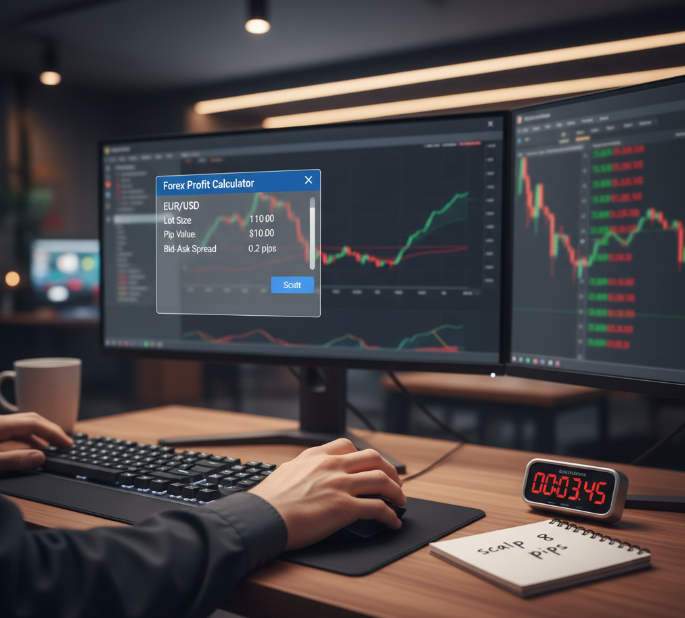
Use the forex profit calculator to default Lot size for tight EUR/USD scalping.
Show Pip value per lot and expected bid-ask spread so intraday clients see Transaction cost upfront.
Highlight Execution speed benefits: fast Market order fills plus instant cost preview keep high-frequency users loyal to your brokerage.
Bundle cost summaries by Lot size tier so sales teams can pitch “low Transaction cost” accounts confidently.
Swing Trading GBP/USD and AUD/USD: Swap Fees and Drawdown Planning
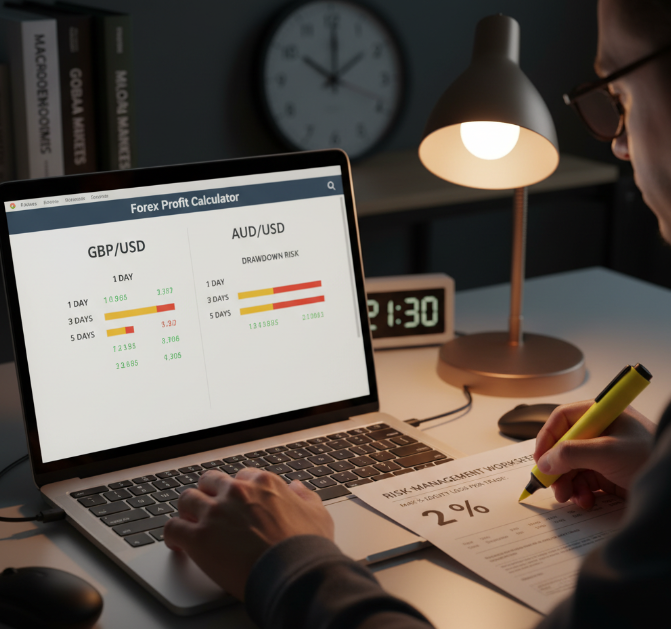
Price swing trades on GBP/USD and AUD/USD with a profit calculator that previews Overnight interest and Rollover for several days ahead.
Build templates for Position sizing that cap Equity risk per Carry trade and align with your Risk management rules.
Flag Margin call zones directly in calculator outputs so sales staff can explain safe buffer levels to professional clients.
Using Limit Order, Buy Stop, and Sell Stop for Better Risk-Reward Ratio
Your white-label tool can turn Pending orders into smart marketing, not just tech.
Map Entry price presets for Breakout plays, so the calculator shows Profit target and Stop loss in one clean view.
Offer Retracement templates where clients see R/R ratio before sending any order.
Let teams demo how a forex profit calculator locks in risk rules across Limit order, Buy stop, and Sell stop flows.
Trailing Stop and Take Profit Placement in High-Volatility USD/JPY Sessions
USD/JPY clients care a lot about Volatility and spread spikes, especially during the Tokyo session. A smart forex profit calculator can make that feel less scary.
Use ATR-based sizing so Price action swings in Yen translate into clear stop distance and Profit locking levels.
Offer Dynamic exit demos where sales reps tweak ATR values live and show how risk shrinks when Volatility cools down.
Tracking Net Profit, Liquidity, and Slippage Across Multiple Currency Pairs
To win bigger brokerage deals, you need cleaner profit stories across many pairs.
Let the calculator tag Realized profit per client and compare it with Commissions and average Spread.
Feed Market depth data and Execution gap stats into exports for a Trading journal API.
Show managers how Portfolio balance across EUR/USD, GBP/USD, and more reacts when fees change in your pricing plans.
Conclusion
Profit in forex isn’t just a pile of numbers; it’s the story behind every EUR/USD or GBP/USD click. In this guide you walked from raw pips and lot size math to clean net profit, spread cost, and swap logic, so the math stops feeling like witchcraft and starts feeling like basic business hygiene for your desk and your clients.
For a brokerage or fintech shop, the payoff is simple: when traders understand that same math inside a forex profit calculator, support tickets drop and trust goes up. Clear position size, stop loss, and take profit outputs help your sales team pitch accounts with confidence and let risk staff sleep at night.
So don’t let profit math sit in the dark. Turn these ideas into better tools, cleaner pricing, and smarter conversations with clients, and the numbers start working for you, not against you.
References
What Are Pips in Forex Trading? - https://www.investopedia.com/terms/p/pip.asp
What is a Pip in Forex Trading? Definition, Examples & Formula - https://www.dukascopy.com/swiss/english/marketwatch/articles/what-is-a-pip-in-forex-trading/
What is a Lot in Forex? Lots, Leverage and Profit & Loss - https://www.babypips.com/learn/forex/lots-leverage-and-profit-and-loss
EURUSD Pip Calculator – Myfxbook - https://www.myfxbook.com/forex-calculators/pip-calculator/EURUSD
What is Margin in Trading? – OANDA - https://www.oanda.com/bvi-en/cfds/learn/introduction-to-leverage-trading/what-is-margin-in-trading/
How to Calculate Profits and Losses of Your Forex Trades – FP Markets - https://www.fpmarkets.com/education/trading-tips/how-to-calculate-profits-and-losses-of-forex-trades/
FAQ
How does a forex profit calculator handle pips and lot size?
A forex profit calculator turns tiny price moves into real money numbers traders understand.
Converts Pips and Points using Pip value.
Factors Lot size like Standard lot or Micro lot.
Adjusts results for Exchange rate on EUR/USD or USD/JPY.
Adds Spread cost and Commission to show Net profit.
Why do brokerages need a forex profit calculator instead of spreadsheets?
Spreadsheets feel clunky when trades move fast. A forex profit calculator updates Pip value, Spread cost, Commission, and Swap fees for pairs like EUR/USD or GBP/USD, helping traders see clear Net profit and Return on investment.
How should I price EUR/USD day trades for tight spreads?
Intraday traders live on tiny price moves, so cost clarity matters.
Track Bid price and Ask price for the Bid-ask spread.
Set Position size and Lot size for scalping.
Estimate Net profit per Pips move.
Watch Volatility and Slippage during fast sessions.
Can a profit calculator show real commission and spread cost impact?
Yes. Good calculators break out Spread cost and Commission so Gross profit and Net profit stay clear. On pairs like EUR/GBP or USD/CHF, traders see true Return on investment instead of guesswork.
How do swap fees affect swing trades on GBP/USD and AUD/USD?
Swing traders keep positions overnight, so Swap fees creep in.
Accounts show Overnight interest and Rollover impact.
Equity changes as trades stay open.
Position sizing and Risk management reduce Drawdown.
Margin requirement checks help avoid Margin call stress.
What forex calculator settings matter most for risk management?
Focus on Stop loss distance, Position size, and Leverage. These shape Risk-reward ratio and Drawdown. When trading GBP/USD or USD/JPY, clear Margin requirement numbers help traders keep Portfolio balance steady.
How can I control slippage and execution gap across pairs?
Tracking trade quality keeps brokers and traders on the same page.
Record Slippage and Execution gap per trade.
Use Market depth data to watch Liquidity.
Compare pairs like EUR/USD, USD/CAD, and NZD/USD.
Log trades in a Trading journal for review.
Do manual profit formulas still matter for professional traders?
Yes. Knowing Pip value, Lot size, Entry price, and Exit price builds confidence. When traders grasp the math behind Spread cost and Swap fees, the calculator feels like a helpful tool, not a mystery box.
How does a forex profit calculator support different order types?
Order planning gets easier with a calculator preview.
Shows profit estimates for Market order and Limit order.
Tests Buy stop and Sell stop scenarios.
Displays Stop loss and Take profit in Pips.
Updates Net profit as Price action shifts.
What metrics should my brokerage track for long-term client profit?
Watch Realized profit, Drawdown, and Return on investment across EUR/USD or AUD/USD. Add Commissions and Spread cost to the picture. Healthy Portfolio balance trends usually mean pricing and tools serve traders well.