
If you’ve ever fumbled through lot size math while the market's moving fast, you’re not alone. A good forex calculator isn’t just a nice-to-have — it’s your lifeline when time equals risk and clients expect precision.
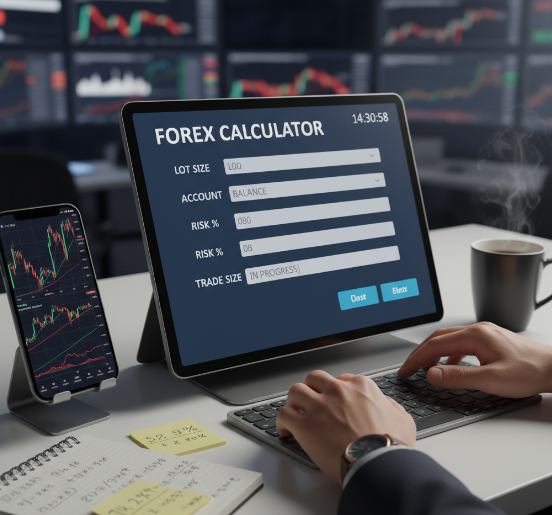
Manual formulas? Great for textbooks, not so great when clients are waiting or the spread’s widening.
Think of it like brewing coffee with a stopwatch ticking — you don’t want to be guessing how many spoons to throw in. You want tools that are sharp, fast, and don’t require a manual every time you open them.
“Speed and clarity — that’s what we built for,” says Jake M., senior product engineer at Fxbee. “Our wholesale partners want something their traders can trust without second-guessing.”
In this article, we’ll break down how to size up trades in seconds using a forex calculator—and how to use it as a risk control system across hundreds or thousands of client accounts.
Because when it comes to high-volume trading environments, the right tools make all the difference — especially when scaling up.
If you're in the business of offering smarter trading, this is where speed meets simplicity.
How to Use a Forex Calculator for Risk Control
Account Balance, Risk Percentage, and Lot Size
Your account balance is the pot of gold. Know it, don’t guess it.
Risk percentage is how much you're okay losing. Most pros keep it at 1–2%.
Lot size? That’s how big your trade is. This trio works like a crew — if one’s off, the whole thing sinks.
Forex calculators crunch these in seconds so you don’t gamble with your equity.
A proper calculator will show:
How much you're risking per trade
How that risk changes with different lot sizes
Whether you’re stretching too far with leverage or staying in the safe zone
You’re not just punching in numbers. You’re defining the rules of engagement before the trade even goes live — that’s how serious firms manage exposure.
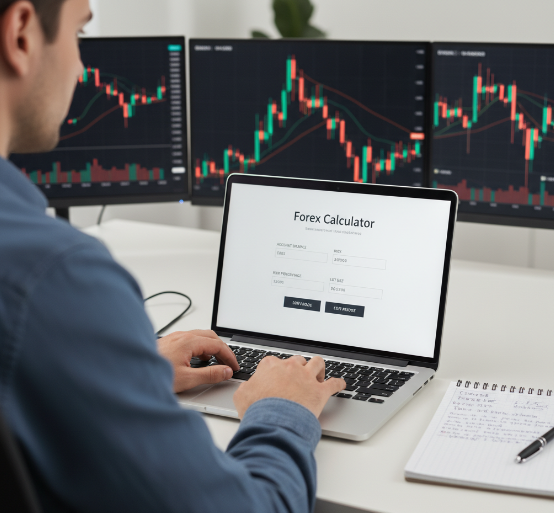
Stop Loss Level and Pip Value per EUR/USD Trade
Stop loss isn’t just a line on a chart — it’s your seatbelt.
Here’s how a forex calculator helps you set a smart stop loss and pip value structure for EUR/USD:
Choose your currency pair — EUR/USD is a favorite for its tight spread and high liquidity.
Set your stop loss level based on how much volatility the market’s throwing around.
Enter the entry price, contract size, and spread — don’t skip the pipettes.
Calculate your pip value to match your risk. It’s the heartbeat of your trade.
“If your pip value’s off, your whole trade’s walking on a tightrope.” — J. Weber, Senior Engineer at Fxbee
Risk-to-Reward Ratio and Potential Loss Monitoring
Big talk in trading? The risk-to-reward ratio. If you're risking $50, shoot for at least $100. That’s a clean 1:2 setup.
Now, think about take profit, loss limit, and profit target. These aren't just fancy words — they’re how you plan to stay alive in the game.
Some calculators even include drawdown alerts and track your potential loss over multiple trades. That’s where B2B-grade calculators shine — giving brokerages a full picture instead of a single-trade snapshot.
A good risk dashboard shows:
Current open trade exposure
Worst-case loss if multiple stop losses are hit
How today’s trades impact long-term equity and client trust
Automating Risk Assessment and Drawdown Calculation for Client Portfolios
If you’re managing multiple client accounts, manual risk checks are a ticking time bomb.
Forex calculators aren’t just about “What’s my lot size?” anymore. They now:
Aggregate risk across multiple trades and accounts
Estimate potential drawdown if things go sideways
Help you enforce firmwide risk rules (like no more than 5% equity at risk at any given time)
Some systems tie into portfolio dashboards, so you can:
See exposure per instrument (e.g., EUR/USD, USD/JPY, XAU/USD)
Spot when a single client is repeatedly overleveraged
Pre-empt margin calls with automated alerts
In other words: it’s risk control, not just trade sizing.
Preventing Margin Call with Real-Time Margin Level Alerts
Consider margin level your car’s fuel gauge.
When a forex calculator shows:
Used margin
Free margin
Margin level (%)
…you’re not guessing whether a margin call is coming — you can see it.
B2B calculators connected via API to trading servers can:
Flash warnings when margin levels get too low
Help brokers auto-adjust lot sizes
Protect both the client and the brokerage from forced liquidation
If your traders are flying blind on margin, the next spike in volatility could be expensive.
Manual Formula vs. Forex Calculator: Which Is Faster?
Handwritten Pips and Points
Don’t let the pen fool you — calculating pips manually can turn into a real drag, especially when the numbers are flying.
Manual pip math for one position? Maybe okay. For hundreds of trades across client accounts? No chance.
You’d have to consider:
The currency pair (EUR/USD vs. GBP/JPY)
The number of decimal places
Different pip values for JPY crosses
The account currency vs. the quote currency
The room for human error adds up — fast.
Spreadsheet Margin Calculation Workflows
Some traders still swear by spreadsheets, but juggling Excel formulas during high-volatility hours is like trying to juggle fire.
Common issues:
One wrong cell reference = broken risk models
Copy-paste errors that mis-size multiple trades
“Version control hell” with multiple spreadsheet files
For firms, spreadsheets aren't scalable. They're brittle, hard to audit, and slow when seconds matter.
Instant Position Size Outputs
Now we’re talkin'. Using a forex calculator to pop out your lot size instantly? That’s how the pros save time and stress.
Here’s what instant outputs look like:
Position size in lots
Pip value per trade
Risk amount in your base currency
Margin requirement based on account leverage
Here’s the kicker with handwritten pip value calculations:
Small decimal errors can create oversized or undersized positions.
That might seem minor on one trade — but over dozens or hundreds, it becomes a real problem.
“Manual pip math is where small errors snowball fast,” says Alex Chen, Senior Quant at Fxbee. “It’s the fastest way to lose client trust.”
Instant Position Size Outputs (Example Table)
Instant Position Size Outputs (Example Table)
| Account Balance | Risk % | Stop Loss (pips) | Currency Pair | Resulting Lot Size |
|---|---|---|---|---|
| $10,000 | 1% | 50 | EUR/USD | 0.20 Standard Lots |
| $5,000 | 2% | 30 | USD/JPY | 0.33 Standard Lots |
| $15,000 | 3% | 40 | AUD/USD | 1.13 Standard Lots |
This kind of fast math saves traders tons of time—especially if you're running multiple accounts.
For brokerages and fintech partners, it’s about giving clients clean, reliable numbers they can act on instantly.
1-Minute Trick Using a Forex Calculator
When markets are whipping around, traders don’t have time to check three different tools and a spreadsheet.
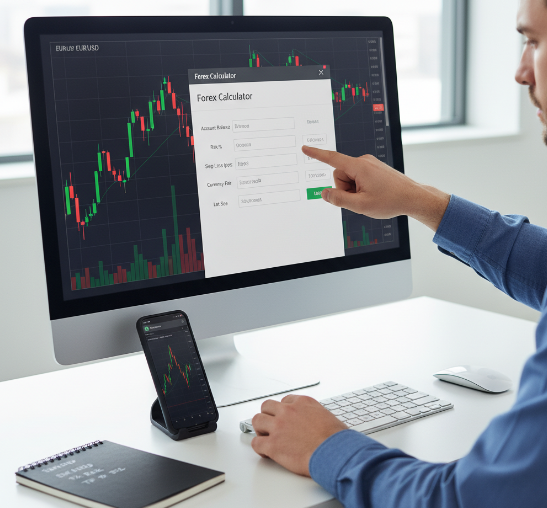
That’s where the “1-minute trick” comes in — a fast, repeatable workflow using a forex calculator.
So what’s the 1-minute trick?
Use this formula:
Lot Size = (Account Balance × Risk Percentage) / (Stop Loss × Pip Value)
Yeah, sounds like a mouthful, but the calculator does all of this instantly. Just plug in:
Your Account Balance (say $5,000)
Your Risk Percentage (maybe 2%)
The number of pips you’re willing to risk (like 30)
And the currency pair you're trading (like GBP/USD)
The calculator handles the pip value and leverage behind the scenes. Boom—lot size done.
Let’s break it down with a real-life setup:
Account Balance: $10,000
Risk: 1% ($100)
Stop Loss: 50 pips
Pair: EUR/USD
Using the calculator:
Pip value is calculated based on contract size and currency pair.
Lot size is adjusted so that if your stop loss is hit, you only lose $100.
No overleveraging, no random guesses — just controlled, pre-defined risk.
Quick Q&A with Mike, Senior Engineer at Fxbee
Q: How does the forex calculator handle risky client behavior?
Mike: “We pre-load the average pip values and spreads, and the calculator crunches numbers instantly. It’s optimized for speed and accuracy.”
Q: What about fast markets and slippage?
Mike: “We factor in typical worst-case scenarios based on historical data. Traders see not just the ‘ideal’ outcome, but also what happens if slippage shows up.”
Q: Can brokers set risk caps per account?
Mike: “Absolutely. Admins can set max leverage, risk per trade, or overall daily drawdown. The calculator will refuse to output sizes that exceed those limits.”
This is what separates professional-grade calculators from basic widgets.
Trader Tip:
Use the 1-minute trick as a pre-trade checklist:
Step 1: Set up an account balance, leverage, and risk percentage formula.
Step 2: Use a calculator to auto-derive position size.
Step 3: Lock in your stop loss and take profit before entering.
Step 4: Double-check your numbers — especially on high-volatility pairs like GBP/JPY and XAU/USD.
Once it’s a habit, risk management becomes second nature.
And yeah, once you try it, you won’t go back.
Mistakes to Avoid When Using a Lot Size Calculator
Ignoring Leverage Ratio and Required Margin in USD/JPY
Using a calculator without feeding the correct leverage and margin info? Big no-no, especially when you're messing with USD/JPY.
Why?
Leverage affects how much bang you get for your buck. Misjudge it? Say hello to accidental overexposure.
USD/JPY trades can move fast in fewer pips, so an incorrect margin calculation can trigger margin calls quicker than on EUR/USD.
A good calculator will:
Show required margin per trade
Reflect your account’s leverage settings (e.g., 1:30, 1:50, 1:100)
Flag positions that are too big for the current equity
Wrong Deposit Currency and Currency Conversion Errors
This one's sneaky.
If your deposit currency is EUR but your trades are mostly in USD pairs, a bad calculator or incorrect setup can:
Misprice your pip value
Underestimate your real exposure
Mess up your profit and loss reporting
Make sure your calculator:
Supports multiple base currencies (USD, EUR, GBP, JPY)
Converts values correctly based on live or recent exchange rates
Keeps all outputs consistent (so your equity, margin, and P&L all make sense together)
Underestimating Spread, Slippage, Volatility, and Liquidity Risks
Traders often forget the market has moods. Bid-Ask Spread, slippage, volatility, and liquidity all change — sometimes in a flash.
Common oversights:
Tight spreads = smoother entry, but wide spreads during news spikes? Dangerous.
Ignoring slippage in fast-moving markets
Forgetting that low-liquidity hours can magnify risk
A solid calculator should:
Let traders adjust for spread widening
Include slippage assumptions in worst-case scenarios
Help model trades around major financial news events
| Risk Factor | Real Impact | Typical Scenario | Fix via Calculator |
|---|---|---|---|
| Spread Spike | Entry Price Shift | Major News Event | Dynamic Spread Alerts |
| Slippage | Profit Erosion | Fast Markets | Auto-adjusted Entry Price |
| Volatility | Wild Price Swings | CPI / NFP Releases | Larger Stops, Smaller Size |
| Thin Liquidity | Delayed Execution | Off-Hours Trading | Position Size Reduction |
Forgetting Swap Long and Swap Short Costs
Overnight trades? Then swap matters.
Traders who ignore swap costs may think they’re profitable… until they check their statements weeks later.
Your calculator should:
Display swap long and swap short per pair
Estimate the cost of holding a trade for multiple days
Show how swap eats into profit (or occasionally boosts it)
Swap rates vary daily, and if your calculator doesn’t update with broker feeds, you're toast.
Smart calculators account for these shifts in real time — don’t settle for ones that don’t.
????️ "Always build conversion logic into the backend of any forex calculator — one rounding error can throw off client execution across thousands of trades." — Rafael K., Fxbee System Architect
Forex Calculator Essentials
Core Inputs: Entry Price, Stop Loss Level, Take Profit Level
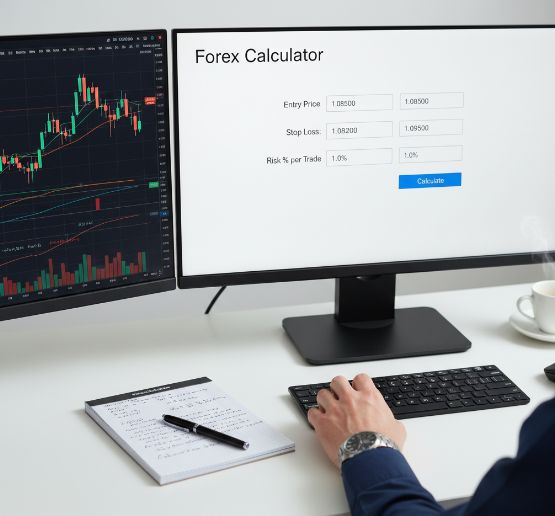
At minimum, a forex calculator should ask for:
Entry price
Stop loss level
Take profit level
Risk percentage per trade
From there, it spits out:
Recommended lot size
Risk amount in the account currency
Profit potential if take profit is hit
A solid forex calculator translates pips into meaningful targets that help avoid wild swings in market orders.
Supported Units: Standard Lot, Mini Lot, Micro Lot
Standard Lot = 100,000 units
Mini Lot = 10,000 units
Micro Lot = 1,000 units
Mixing things up? Some calculators even support nano lots for precision.
Adjusting contract size and volume based on leverage and risk levels is no joke — and automation helps.
Position sizing across lot sizes means brokers can accommodate clients of all trading volumes — from noobs to big players.
Multi-Pair Coverage: GBP/USD, AUD/USD, USD/CAD, NZD/USD
You want a calculator that doesn’t freeze up once you go beyond EUR/USD, right?
Major pairs like GBP/USD and AUD/USD are must-haves.
Calculators need to handle the shifting exchange rate and calculate pip value in both the base currency and quote currency.
If it only works reliably for EUR/USD in a USD account, it's not brokerage-grade — it’s a toy.
Output Metrics Dashboard: Equity, Position Size, Potential Profit, Potential Loss
A pro-level forex calculator should show you at a glance:
Account equity
Position size
Potential profit (if target is hit)
Potential loss (if stop loss is hit)
This helps both traders and brokerages see if a trade is worth the risk before they commit.
Brokerage Integration: Bid Price, Ask Price, and Spread Handling
Integration is king. A calculator that hooks into real-time data via API gives clients the truth, not an estimate.
Think about transaction cost: calculators should factor in slippage, commission, and spread dynamically.
Whether pulling data from a liquidity provider or displaying broker-internal prices, transparency builds trust.
“If your calculator doesn’t show how today’s trades impact long-term gains, you’re short-changing your clients.”
Advanced Profit Calculation and Compounding Calculation for Client Portfolios
This is where retail tools tap out and serious fintech steps in.
Advanced calculators:
Model compounding gains over time
Show how consistent 1–2% risk per trade compounds over hundreds of trades
Let you play out “what-if” scenarios on client portfolios
As Fxbee Product Designer Linda Tseng says:
“If your calculator doesn’t show how small, consistent wins impact long-term growth, you’re leaving value off the table.”
4 Steps to Calculate Forex Lot Size Accurately
Step 1: Define Account Balance, Risk Percentage, and Deposit Currency
Know your Capital. Know your risk. And never guess your base currency.
Here’s how to keep things in check:
Start with your total trading account size — the real Equity you can lose.
Choose a risk percentage (e.g. 2%) to cap how much you’re putting on the line.
Match your base currency with your broker’s system to avoid any weird conversion errors.
Use that number to calculate your actual risk amount per trade.
➡️ Example: Got $10,000 in Capital? Risking 2%? That’s a $200 Risk amount per trade — no more.
Step 2: Map Volatility in EUR/JPY Using Pips and Points
“Forex calculators are only as good as the numbers you feed them.” – Yuki Tanaka, Fxbee Senior Market Analyst
When working with EUR/JPY, volatility isn’t just a buzzword — it’s a risk multiplier.
Here’s what to focus on:
Track recent highs and lows on the chart.
Measure the distance between those points in pips.
Use indicators like the Average True Range (ATR) to spot volatility zones.
Watch that Spread — it widens fast in low liquidity.
Don’t just eyeball it; measure price action in points and pips.
???? And if you’re trading EUR/JPY, here’s how volatility plays out:
20–30 pip swings during quiet sessions
80–100 pip swings during major economic events
Bigger position sizes multiplied by volatility = faster drawdowns
Feed that volatility data into the calculator so it doesn't size trades blindly.
Step 3: Run Margin Calculation and Check Margin Level
Margin isn’t just a requirement — it’s your safety buffer.
Use the calculator to:
Check required margin for each lot size
See how much free margin remains after a trade is opened
Ensure margin level (%) stays safely above your broker’s margin call threshold
Example table:
| Metric | Example Value | Why It Matters | Notes |
|---|---|---|---|
| Leverage | 1:100 | =Balance * Leverage | Overexposure |
| Required Margin | $200 | =Position/Leverage | Margin call |
| Free Margin | $9,800 | Equity - Used Margin | Breathing room |
| Margin Level (%) | 5000% | (Equity/Used Margin)*100 | Safety buffer |
The calculator will tell you if opening another trade is safe or if you're about to push your account into dangerous territory.
Step 4: Confirm Position Size, Pip Value, and Risk-to-Reward Ratio Outputs
Getting into the trade? Double-check these bad boys:
✅ Your position size — whether it’s a standard lot, mini lot, or micro lot
✅ The pip value per instrument
✅ The risk-to-reward ratio compared to your take profit target
Short and sweet trade audit:
If pip value is off, your profit target means nothing.
A bad execution with the wrong size can cause huge drawdowns — fast.
Make sure the reward is worth it before pressing the button.
???? Rule of thumb: Always look for a 2:1 or better risk-reward ratio. You’re not flipping coins — you’re running a brokerage.
Conclusion
If you’ve ever tried crunching lot sizes on the fly while markets move like a rollercoaster, you know it’s no fun—and no place to gamble with guesswork.
A solid forex calculator takes the pressure off. It handles the math, so you can focus on:
Strategy
Execution
Protecting client capital
For brokerages, fintech platforms, and serious partners, the upside is huge:
Faster onboarding with prebuilt trade sizing
Fewer support calls about “wrong lot sizes”
One tool fits multiple account types and currency pairs
Clearer risk data builds long-term client trust
At the end of the day, speed matters—but clarity and consistency matter more.
If you’re still relying on spreadsheets or manual formulas to size trades across dozens or hundreds of accounts, it might be time to stop flying blind and put the right tools in your clients’ hands. Accuracy isn’t a luxury—it’s part of the service.
References
Position Size Calculator – Myfxbook - https://www.myfxbook.com/forex-calculators/position-size
What is a Lot in Forex? Lots, Leverage and Profit and Loss – BabyPips - https://www.babypips.com/learn/forex/lots-leverage-and-profit-and-loss
What Are Pips in Forex Trading, and What Is Their Value? – Investopedia - https://www.investopedia.com/terms/p/pip.asp
Ways to Manage Risk: Part Two – IG Academy - https://www.ig.com/sg/ig-academy/planning-and-risk-management/ways-to-manage-risk-Part-2
Positive Risk-Reward Ratio in Forex Trading: Why It Matters – City Traders Imperium - https://citytradersimperium.com/positive-risk-reward-ratio/
FAQ
What does a forex calculator do in real-time trading?
A forex calculator helps you figure out things like lot size, margin, and profit before you enter a trade. It saves time and helps avoid silly math mistakes in fast markets.
How do I calculate pip value for EUR/USD?
Check the bid or ask price for EUR/USD
Choose your lot size (standard, mini, or micro)
Set your deposit currency
Use: (0.0001 × lot size × contract size) / exchange rate
The result shows your pip value in your account currency
Can I use a forex calculator for risk percentage control?
Totally. It matches your risk percentage to your trade by adjusting lot size and stop loss. It's super helpful with pairs like NZD/USD that can swing quickly.
What parameters should I enter into a trade size calculator?
The tool then gives you position size and margin info.
Account balance
Risk percentage
Stop loss level (in pips)
Currency pair like USD/JPY or GBP/USD
Leverage ratio
Deposit currency
Why do forex calculators give different results from manual formulas?
Manual work can miss things like spread or slippage
Calculators use live bid/ask prices
Lot size units (standard, mini) are easy to mess up manually
Currency conversion gets tricky without tools
Calculators just do it faster and cleaner
Do forex calculators work with exotic currency pairs like EUR/JPY?
Yes, solid ones support pairs like EUR/JPY, USD/CHF, and more. They adjust for different pip values and base currencies automatically.
How does a forex calculator help prevent a margin call?
It shows your margin level before you open a trade
Breaks down how your leverage affects margin
Helps keep equity above danger zones
Gives a heads-up before volatility eats your margin
What’s the difference between pip and point in forex lot calculations?
A pip is usually 0.0001 for major pairs like EUR/USD. A point is even smaller, like 0.00001. Some brokers quote in points to show tiny moves.
Is a forex calculator suitable for use by brokerages?
Definitely. Brokerages can plug in a forex calculator or offer it to clients for quicker lot size, profit, and margin numbers. It makes everyone’s life easier.
What output metrics can I expect from a forex calculator?
Position size
Pip value
Required margin
Profit and loss
Risk-to-reward ratio
Swap long and swap short values